How it works
Cal App Premium gives every signup their own calendar platform. Below is the full picture — who owns what, how events move, and how sharing stays private.
1. Sign up and you own a workspace
A visitor registers with a name, email, username, and password. That person becomes Master Admin of a brand-new tenant. Departments, events, users, settings, and themes live only in that tenant.
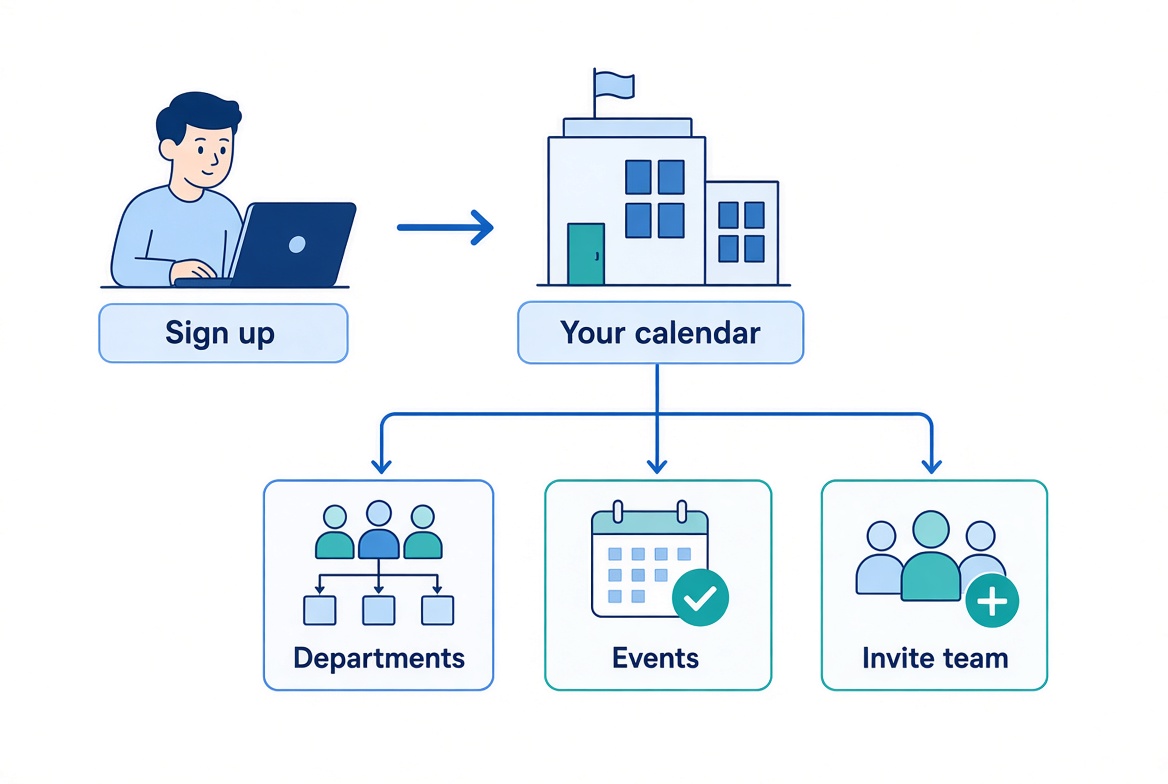
- Create departments (teams, ministries, rooms, or any grouping you need).
- Publish events with location, capacity, descriptions, and images.
- Invite staff or family by email. They join your workspace only.
2. Roles stay isolated
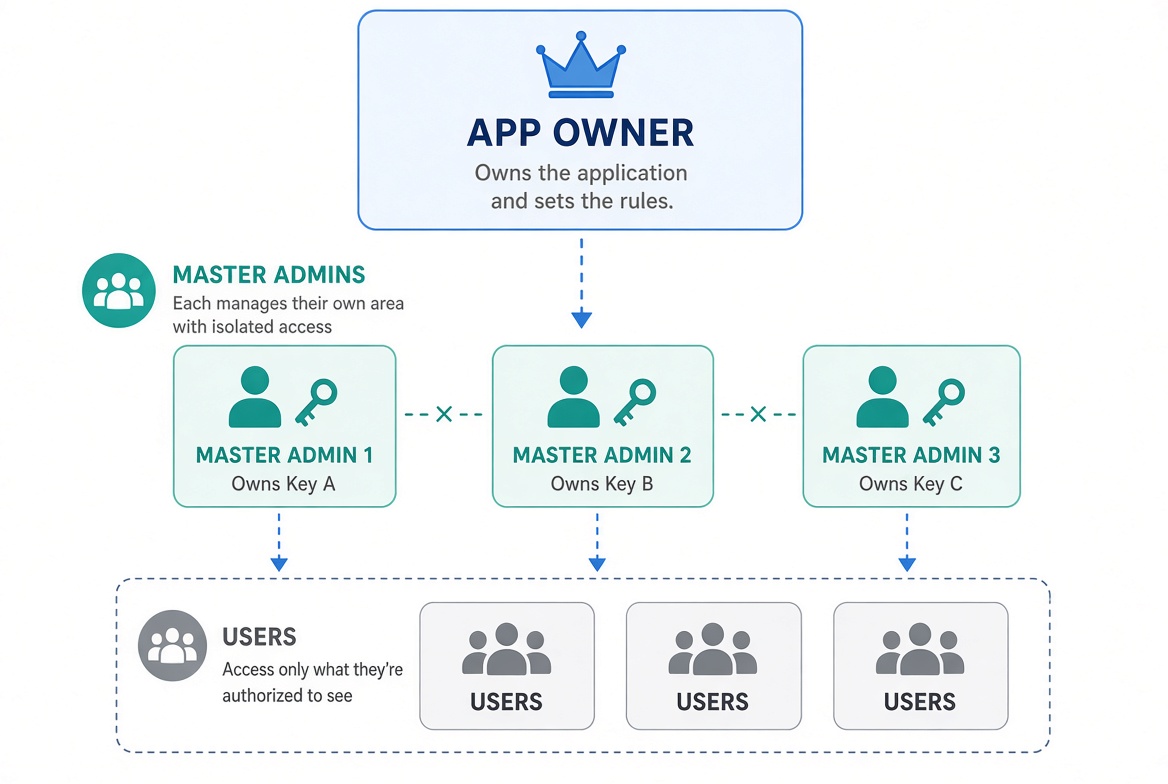
The platform has one App Owner who styles the public site and sees usage stats. Owner cannot open anyone’s calendar. Each Master Admin is sealed off from every other Master Admin. Users and admins only see the tenant they belong to.
3. Events have a full life cycle
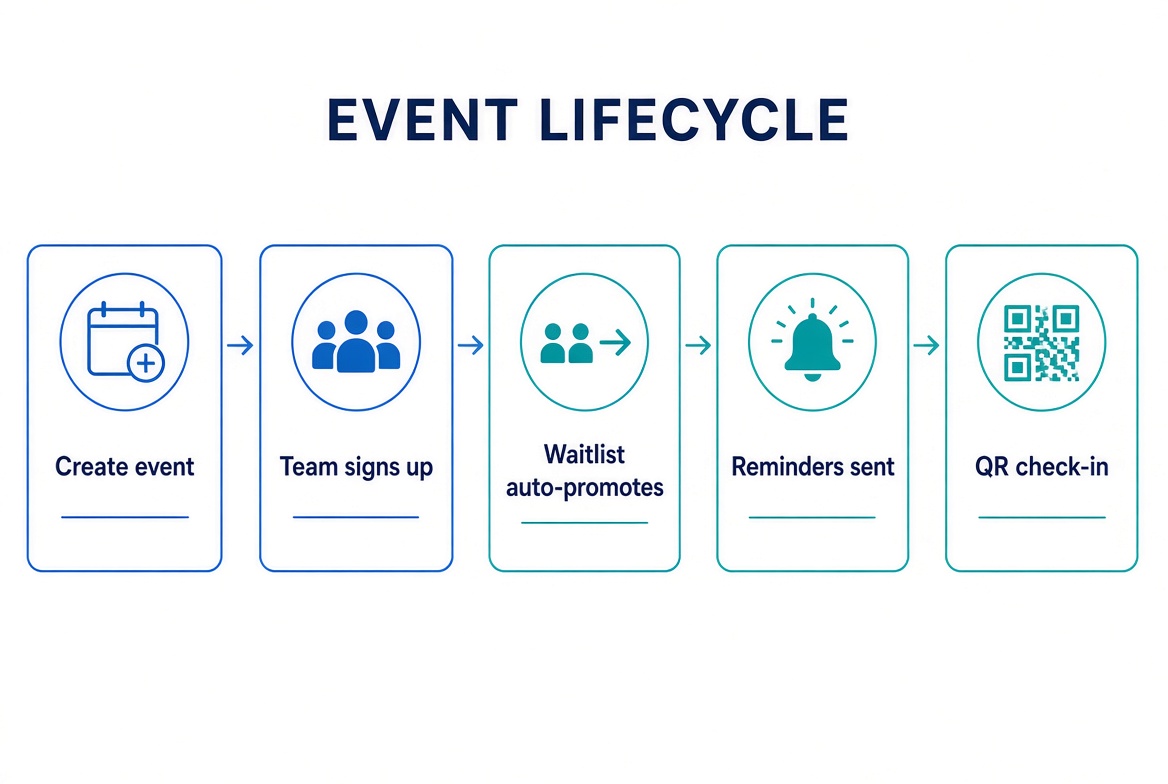
Create an event, let people register, auto-promote from a waitlist when a seat opens, send reminders, and check people in with a QR code. Comments, private notes, and messages stay on the event.
4. Public viewing is opt-in and token-based
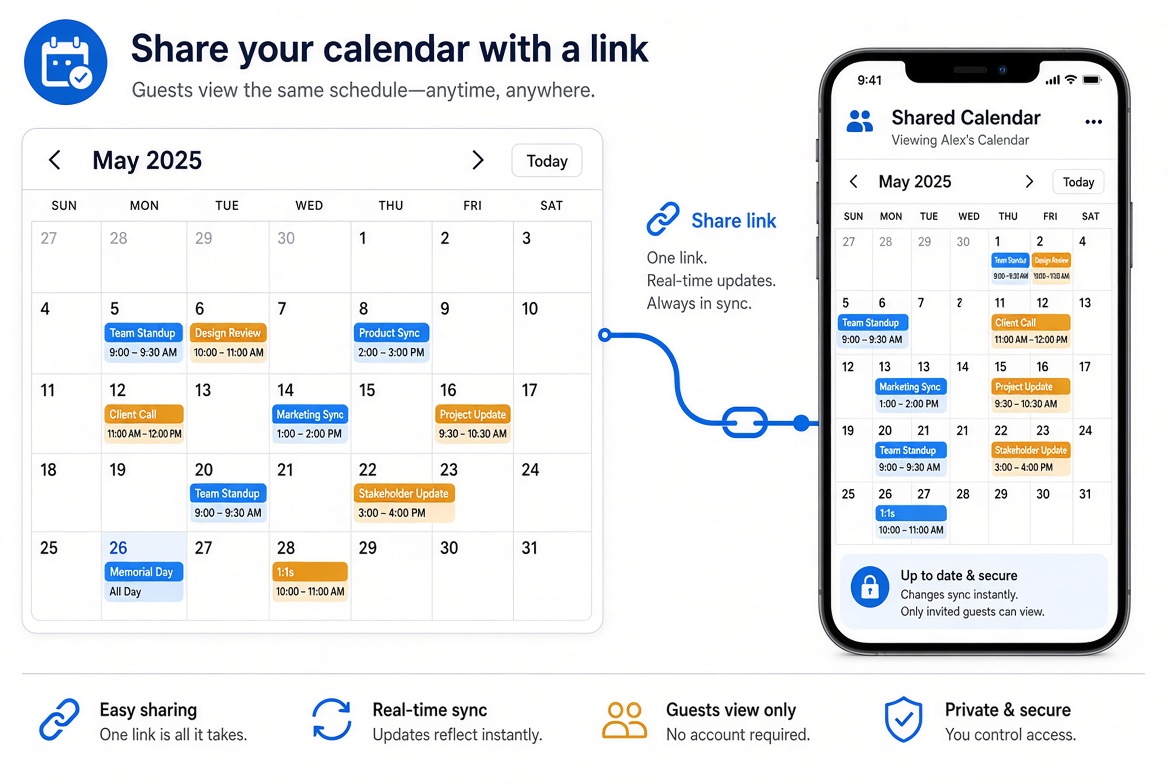
By default nothing is public. A Master Admin can turn on a unique private link. Only people with that exact URL can see that calendar — no login required. Regenerating the token kills the old link.
5. Everyday extras
- Map view for events with addresses.
- Friends list inside the same workspace.
- Announcements on the home calendar or a department.
- Notification preferences for email and in-app.
- Per-workspace colors and layouts that do not leak to other tenants.